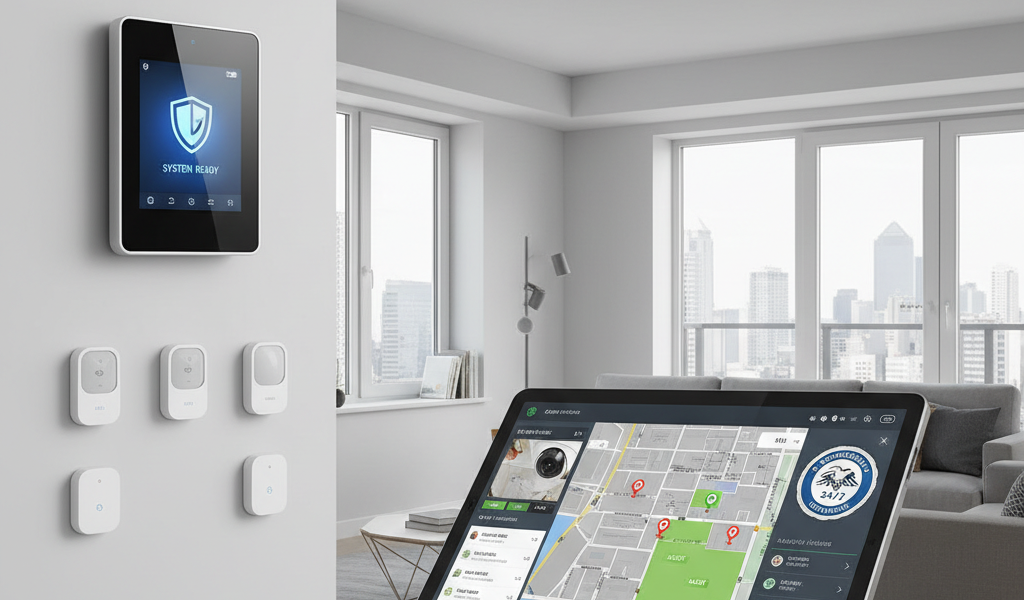
Home alarm systems combine sensors, control panels, sirens, and communication paths to detect intrusion and trigger alerts. The right setup balances reliable detection, clean installation, and clear monitoring — whether DIY or professional. Use this overview to understand components, pick a monitoring model, and deploy with confidence.
System components
| Component | Role | Notes |
|---|---|---|
| Control panel/hub | Brains of the system | Manages sensors, siren, alerts, and monitoring |
| Entry sensors | Doors/windows | Magnetic contacts; supervised for tamper/battery |
| Motion sensors | Interior detection | PIR detection, pet‑friendly options, sensitivity tuning |
| Glass break sensors | Perimeter breach | Audio pattern or vibration detection near windows |
| Sirens | Deterrent & alert | Indoor base siren + optional exterior siren |
| Keypads/fobs | Arming/disarming | Local control; entry/exit delays; duress codes |
DIY vs. professional monitoring
DIY self‑monitoring
Lower monthly cost; app alerts go directly to you. Requires reliable notifications and an escalation plan if you can’t respond.
Professional monitoring
24/7 monitoring center verifies events and dispatches emergency services. Better for high‑risk properties or owners who travel frequently.
Hybrid approach
Self‑monitor normally and enable professional monitoring temporarily during travel or higher‑risk periods.
Contract considerations
Check month‑to‑month vs. long‑term contracts, false alarm policies, and verified response times before enrolling.
Communication paths
- Broadband: Primary for most DIY systems; ensure your router and modem are battery‑backed for short outages.
- Cellular: Provides redundancy and resilience during broadband failures; recommended for monitored systems.
- Local siren/alerts: Audible deterrence and local notification even if network is down.
- Power backup: Panel battery plus UPS on network gear extends runtime during outages.
Sensor placement and tuning
- Perimeter first: Cover all ground‑floor doors and accessible windows; include garage and side entries.
- Motion zones: Position PIR sensors to monitor hallways and transitions; avoid direct sun, vents, or heat sources.
- Glass break: Place near large windows and glass doors; test sensitivity based on room acoustics.
- Entry/exit delays: Configure realistic delays to avoid accidental alarms while maintaining security.
Install and commissioning checklist
| Phase | Tasks | Outcome |
|---|---|---|
| Pre‑install | Map doors/windows; plan motion coverage and keypad locations | Clear layout and parts list |
| Mount & pair | Install sensors; pair to panel; name zones consistently | Organized zones and labels |
| Network & power | Set broadband + cellular; verify panel battery and UPS | Resilient communications |
| Test runs | Trigger each sensor, siren, and alert path; log results | Verified detection and alerts |
| Monitoring | Enroll professional service if used; test dispatch workflow | Confirmed response procedure |
False alarm prevention
Zone naming
Use clear, specific zone names (e.g., Front Door, Kitchen Window) to speed verification and reduce confusion.
Pet‑friendly motion
Select sensors rated for pets and tune sensitivity and mounting height to avoid pet triggers.
Schedules & modes
Use Home/Away/Night modes with tailored delays and sensor masking to avoid routine triggers.
Periodic testing
Monthly checks catch low batteries, misalignment, and firmware problems before they cause issues.
Privacy and security basics
- Access control: Limit admin roles, enable MFA, and use duress codes prudently.
- Network hygiene: Place alarm devices on a VLAN, avoid open ports, and use secure remote access methods.
- Event retention: Define retention windows, encrypt logs, and review access permissions regularly.
- Firmware cadence: Apply stable firmware updates to panels and sensors; avoid beta releases on primary entry points.
Plan your alarm system
Start with perimeter sensors and clear zone naming. Add cellular backup and test monitoring workflows before going live.
Troubleshooting common issues
- Frequent false alarms: Reposition motion sensors, adjust delays, and confirm correct zone types.
- Sensor offline: Replace batteries, check range, and re‑pair to the panel if needed.
- No dispatch: Verify monitoring enrollment, test the cellular path, and confirm emergency contact details.
- Panel errors: Review logs, update firmware, and ensure stable power and network connectivity.
Conclusion
A reliable alarm system focuses on perimeter coverage, tuned motion detection, redundant communications, and disciplined testing. Choose monitoring that matches your risk profile, maintain privacy‑first settings, and keep firmware current. You’ll get dependable alerts, fewer false triggers, and a clear response workflow if an incident occurs.